
Kick the Buddy: Forever
Playgendary LimitedAction
4.553.65K Reviews
- Version
- 2.0.22
- Installs
- 50.00M
- Age Rating
- Teen
Screenshots
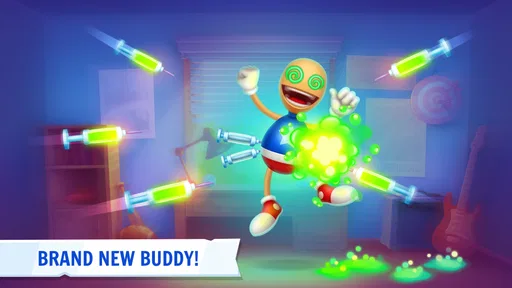
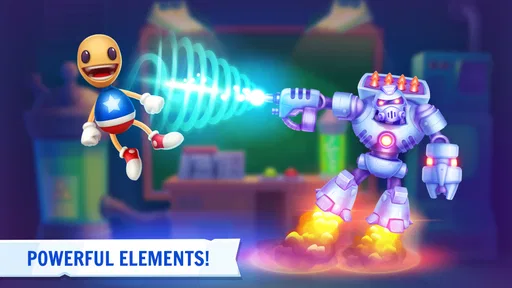
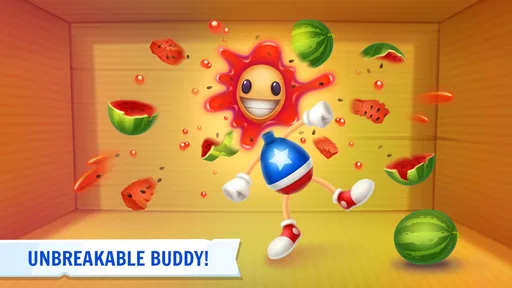
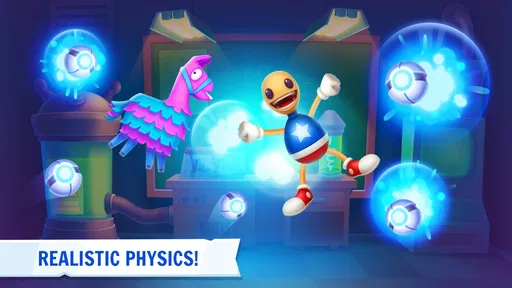
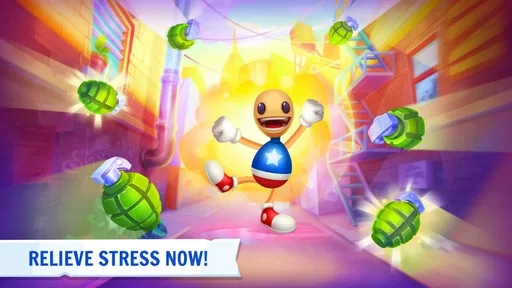
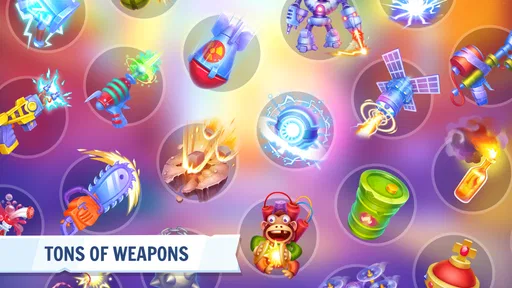
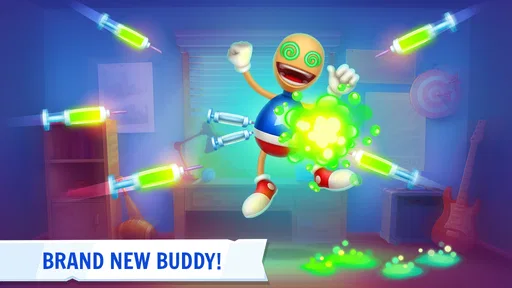
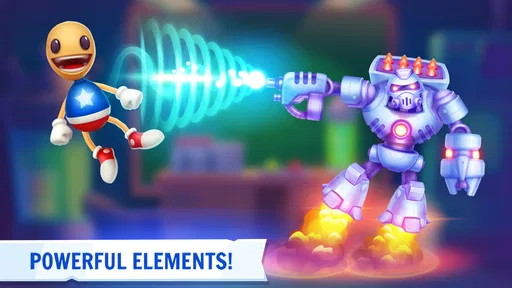
Our Review of Kick the Buddy: Forever
 Analysis by Appyee
I found Kick the Buddy: Forever easy to understand within seconds, but not quite as simple to judge. It is a free action game from Playgendary Limited built around a ragdoll character, playful destruction, and short bursts of interaction rather than a traditional campaign. The basic appeal is immediate: open the playground, choose something to use, and see how the character reacts. That makes it a natural time-killer, especially when I want something that does not demand a long tutorial or a serious commitment.
At the same time, this is not an action game in the usual sense. There is no need to master movement, aim at opponents, or work through a carefully balanced level structure. The entertainment comes from experimenting with the available interactions and watching the exaggerated reactions. I would describe it as a sandbox-style stress toy with action-game presentation. That distinction matters, because people looking for competition, a story, or a deep progression system may quickly feel that the experience is too repetitive.
The game has clearly reached a large audience, with more than fifty million installs and an average rating of 4.5 from roughly 776 thousand ratings. Those figures suggest that its quick, silly format works for many players. My own recommendation is more specific: it is worth trying if you enjoy casual experimentation and cartoonish ragdoll humor, but you should approach it as a compact distraction rather than a complete action adventure.
Getting past the first points of friction
I find the first few minutes go more smoothly when I treat the playground like a small experiment instead of trying to uncover every option at once. I test one interaction, pause to see what changes, and then decide whether to vary the action or move on. That gives me a useful baseline—and makes it easier to tell ordinary trial and error from a genuine control problem.
What the first session is really asking you to do
The opening experience is best understood as a playground rather than a mission list. I do not approach each session expecting a clear objective, because the fun comes from deciding what to try next. That freedom is also where some users get stuck. If you are waiting for the game to tell you exactly what counts as progress, the interface can feel less helpful than a conventional action title.
My practical advice is to spend the first few minutes testing the controls calmly instead of tapping everywhere at once. Try one interaction, watch the response, then change only one thing. This makes it easier to understand whether a result came from the item you selected, the place where you used it, or the timing of your touch. It also prevents the first session from becoming a blur of random taps.
The ragdoll presentation is deliberately exaggerated, so the visual reaction can be more important than any formal objective. I found that the game becomes more enjoyable once I stop treating every screen element as a button that must be discovered. Some moments are simply about creating a funny sequence and moving on. That is a useful mindset for younger players who enjoy playful cause and effect, although the Teen content rating means adults should decide whether the cartoon violence suits the person using the device.
Checks worth making before blaming the game
Because the game is free, installation is usually the obvious first step, but the device still needs to meet its stated requirement of Android 7.0 or later. If it does not install or behaves strangely immediately, checking the operating system is more useful than repeatedly reinstalling it. On iOS, I would likewise begin with the normal system-update and storage checks before assuming that the game itself is broken.
I also recommend opening the game when the phone is not already struggling with many demanding apps. A crowded recent-apps list, low free storage, or an operating system that has been waiting for a restart can create symptoms that look like a game problem. These are ordinary checks, but they matter more in a physics-heavy playground where many animated reactions may appear close together.
Another setup detail is the purchase model. The game is free to download, while optional in-app purchases range from $0.99 to $89.99 per item. I would review the device’s purchase controls before handing it to a child, particularly because the playful presentation can make tapping through menus feel harmless. This is not a reason to avoid the game, but it is a reason to treat the first setup as a shared decision rather than an unattended download.
Why a session can feel less responsive than expected
When a tap seems not to work, I first repeat it after waiting briefly instead of rapidly pressing the same spot. Ragdoll reactions can make the screen look busy, and fast repeated touches may be difficult to interpret. I also return to the main playground and try a different interaction. If other controls respond normally, the issue may be tied to that particular moment rather than a complete failure.
Orientation and touch habits can matter too. Holding the device securely and keeping fingers away from the edge makes small controls easier to use. If the game has just resumed from the background, I prefer to close that session and launch it again rather than continuing through a screen that feels delayed. This simple reset often gives a cleaner indication of whether the problem is temporary.
There is a trade-off here: a completely open playground feels less restrictive than a level-based game, but it gives you fewer obvious signals when something is not working. In a puzzle game, a failed action is usually clear. Here, an unclear reaction may simply mean that the selected interaction was not as interesting in that position. Learning to separate “nothing happened because I chose poorly” from “the game did not register the input” saves a lot of unnecessary troubleshooting.
Recovering a session without losing the fun
When a session is interrupted, I prefer a light-touch reset: leave the playground, reopen it, and try a simple interaction before changing anything on the device. That keeps recovery quick and avoids turning a casual break into a troubleshooting project. If I am considering reinstalling, I first weigh the possibility of losing local progress or preferences; next, it helps to identify whether the trouble is limited to this game.
A simple recovery routine
My recovery routine is deliberately short. I leave the current playground, return to it, and test a basic interaction. If the controls still feel delayed, I fully close the game and reopen it. I then check whether another app is consuming attention or whether the phone needs a restart. These steps are safe, reversible, and more sensible than changing unrelated device settings.
I would not immediately delete the game after one frozen or awkward session. Casual games are often opened in short bursts, and a temporary interruption can be mistaken for a permanent defect. On the other hand, I also would not keep repeating the same action for a long time. If the game remains unusable after a clean relaunch and the device meets the operating-system requirement, the sensible next step is to use the platform’s normal app-support route rather than guessing at hidden fixes.
Before reinstalling, I would consider whether the current session contains anything I care about. Reinstallation can be a useful last resort, but it can also remove local progress or preferences in games that do not restore everything automatically. I would only take that step after trying a relaunch and a device restart, and I would make sure I understand the possible loss before confirming it.
Making short sessions more satisfying
The best workflow is to give each visit a small purpose. I might spend one session testing how different interactions change the ragdoll’s reaction, then another simply creating a sequence that looks amusing. This prevents the open-ended format from turning into aimless tapping. It also gives the game a natural stopping point, which is helpful when I am playing during a short break.
A less obvious benefit of this approach is that it reveals whether the game fits your taste quickly. If experimentation feels rewarding after a few sessions, the playground format is probably working for you. If every visit ends with the same reaction and no desire to try something else, more time is unlikely to transform it into a deeper action game. The title is strongest when you enjoy the interaction itself, not when you are waiting for a conventional reward loop to appear.
I would also keep expectations realistic about repetition. The appeal is based on variations of playful ragdoll interaction, so the novelty can fade faster than it does in a story-driven game or a competitive title with changing opponents. Shorter visits help preserve the humor. Playing for a long stretch may expose the limited structure more clearly, especially if you prefer goals that steadily become harder.
When purchases become part of the decision
The free entry point makes it easy to test the core idea without paying first. That is a genuine strength for curious players. However, the broad in-app purchase range means I would not treat every visible option as necessary. I would first decide whether the basic playground is entertaining on its own, then consider any purchase only if it solves a specific annoyance or adds something I genuinely expect to use.
For families, this is where a little preparation has the greatest practical value. Set purchase restrictions before play, explain that the game is free but may present paid choices, and avoid using a payment method that can be confirmed accidentally. Those steps are more useful than telling a child simply not to buy anything, because the decision is then supported by the device settings as well as by conversation.
For my own use, I see the purchase system as a reason to keep the game in the casual category. I am comfortable trying it for free, but I would not recommend spending heavily unless the player already knows that the playground format holds their attention. A paid action game with a defined campaign may offer better value for someone who wants a longer, more structured experience.
When the game is not the actual problem
I try to separate a game-specific fault from a phone-wide slowdown by checking whether other apps behave normally and changing only one thing at a time. That approach helps me avoid blaming the playground for a device issue—or overlooking a repeated problem in the game itself. With that distinction in mind, the next question is whether this particular style of play suits you at all.
Separating device trouble from game trouble
Not every crash, slowdown, or failed launch begins inside the app. If the entire phone is slow, other games are also misbehaving, or menus take a long time to open, I would investigate the device first. Restarting it, freeing some storage, and closing background apps are sensible general steps. If only this game is affected while everything else works normally, then a game-specific reset becomes more reasonable.
Network conditions can also confuse the diagnosis. A player may assume that every interruption is caused by the game, even when the wider device or connection is unstable. I would compare the behavior across other apps and try again later before making a firm judgment. The important point is to change one factor at a time; otherwise, it becomes impossible to know which step helped.
Updates deserve the same careful treatment. The current version is 2.0.22, so I would check the official app marketplace for the latest available release rather than relying on an old installation. If an update has just occurred and behavior changes, a full relaunch is a reasonable first response. I would avoid installing unofficial copies or random “fix” tools, since they add risk without offering a dependable solution.
Who should choose something else
I would skip this game if your main goal is a serious combat system, a competitive ranking, or a story that carries you from one chapter to the next. The playground concept does not replace those experiences. A level-based action game is a better choice when you want clear objectives and measurable improvement. A physics puzzle game is better when you want each interaction to have a carefully designed solution rather than an open-ended reaction.
It may also be a poor fit for anyone sensitive to cartoon violence or uncomfortable with the game’s central premise. The Teen rating should be taken seriously, even though the presentation is stylized and playful. Parents should look at the actual experience before allowing younger children to use it, and they should consider both the content and the purchase options together.
Finally, people who dislike repetition should be cautious. The game can provide a pleasant break, but its novelty depends on your willingness to experiment with the same general idea in different ways. If you need constant new environments, a strong narrative, or increasingly complex mechanics, another action game will probably keep you engaged for longer.
My practical verdict after using it
Kick the Buddy: Forever works best as a quick, interactive playground rather than as a conventional action adventure. I like how quickly it communicates its central idea, and I appreciate that I can open it for a short session without learning a complicated control scheme. The ragdoll reactions give ordinary spare minutes a bit of silly energy, especially when I approach the game as an experiment instead of searching for a hidden campaign.
Its limitations are just as clear. The open-ended structure can become repetitive, the lack of conventional goals may leave some players unsure what to do, and the in-app purchase range deserves attention before the game is shared with children. Technical friction should be handled with basic checks first: confirm the operating-system requirement, restart the game and device, compare behavior with other apps, and only then consider reinstalling or seeking support.
Playgendary Limited has made a free action title that is easy to sample and easy to understand, which helps explain its broad reach and strong average rating. I would recommend it to players who enjoy cartoon ragdoll humor, casual experimentation, and short sessions. I would not recommend treating it as a replacement for a story-led or competitive action game. If you know which of those two experiences you want before downloading, you will have a much clearer idea of whether this playground belongs on your phone.
For me, the deciding test is simple: after the first few experiments, do I feel curious about trying one more interaction? If yes, the game has done its job. If not, troubleshooting will not create depth that is not part of its design. That is why I see it as a worthwhile free trial for the right audience, with sensible purchase controls and realistic expectations.
Verdict
Strengths of Kick the Buddy: Forever
- Simple controls make it easy to start playing immediately.
- Short sessions work well for quick breaks or casual play.
- Many interactive objects create varied ways to experiment.
- Offline access makes it convenient when no connection is available.
- Frequent rewards help maintain interest during early progression.
Limitations of Kick the Buddy: Forever
- Heavy focus on ads can interrupt gameplay and feel repetitive.
- Some items and upgrades require purchases or extended grinding.
- The core gameplay may become repetitive after extended sessions.
- Violent cartoon humor may not appeal to younger or sensitive players.
- Performance can vary on older devices with numerous effects active.
Other Releases by Playgendary Limited
View All
Kick the Buddy-Fun Action Game
Action4.1

Kick the Buddy: Second Kick
Action4.3

Bowmasters: Archery Shooting
Action4.3

Tomb of the Mask: Old Maze
Action4.3
Similar Picks in This Category
View All
Temple Run 2: Endless Escape
Imangi Studios4.1

PUBG MOBILE
Level Infinite4.3

Free Fire: 9th Anniversary
GARENA INTERNATIONAL I4.4

Talking Tom: Hero Dash Run
Outfit7 Limited4.3

slither.io
Lowtech Studios3.9

Sniper 3D:Gun Shooting Games
Wildlife Studios4.6
Frequently Asked Questions
What is Kick the Buddy: Forever?
Kick the Buddy: Forever is a casual physics-based game centered on interacting with a virtual character in a series of playful, exaggerated scenarios. Players can tap, drag, throw, and use different items to create reactions and complete entertaining interactions. It is designed primarily for short sessions, making it easy to play when you want a simple distraction rather than a complex story or competitive challenge.
Is Kick the Buddy: Forever free to download and play?
The game is generally available as a free download, but the experience may include advertisements and optional in-app purchases. These purchases can provide additional items, resources, or other content, depending on the current version. Before downloading, it is worth checking the store listing for the latest pricing and payment details. Parents should also review purchase settings if children may use the device.
Does Kick the Buddy: Forever work without an internet connection?
Many of the basic interactions can usually be enjoyed offline after the game has been installed, which is convenient for travel or areas with unreliable connectivity. However, advertisements, store features, account-related services, updates, and some promotional content may require an internet connection. Offline availability can also vary between versions and devices, so users should test the game before relying on it without mobile data or Wi-Fi.
Is Kick the Buddy: Forever suitable for children?
The game uses cartoon-style visuals and exaggerated slapstick interactions, but its central concept involves repeatedly attacking or hurting a virtual character for entertainment. Because of that theme, it may not be appropriate for every child, even though it is presented in a playful style. Parents should check the age rating, review the content personally, and consider enabling parental controls for advertisements and in-app purchases.
What can I do if Kick the Buddy: Forever runs slowly or crashes?
If the game performs poorly, first close other applications, restart the device, and make sure enough storage space is available. Installing the latest game and operating-system updates may also improve stability. On Android, clearing the app cache can help, while iOS users may need to reinstall the application if problems continue. Save or account data should be checked before reinstalling, since not every version guarantees recovery.
Play our best games!


